


The Minecraft Elevator mod is a unique mod that adds elevator blocks to the game, allowing players to traverse in any direction with ease. The pack features an extensive customisation option, allowing players to set up an intricate transportation network.
Here’s everything you need to know about the Minecraft Elevator mod.
How to install the Minecraft Elevator mod
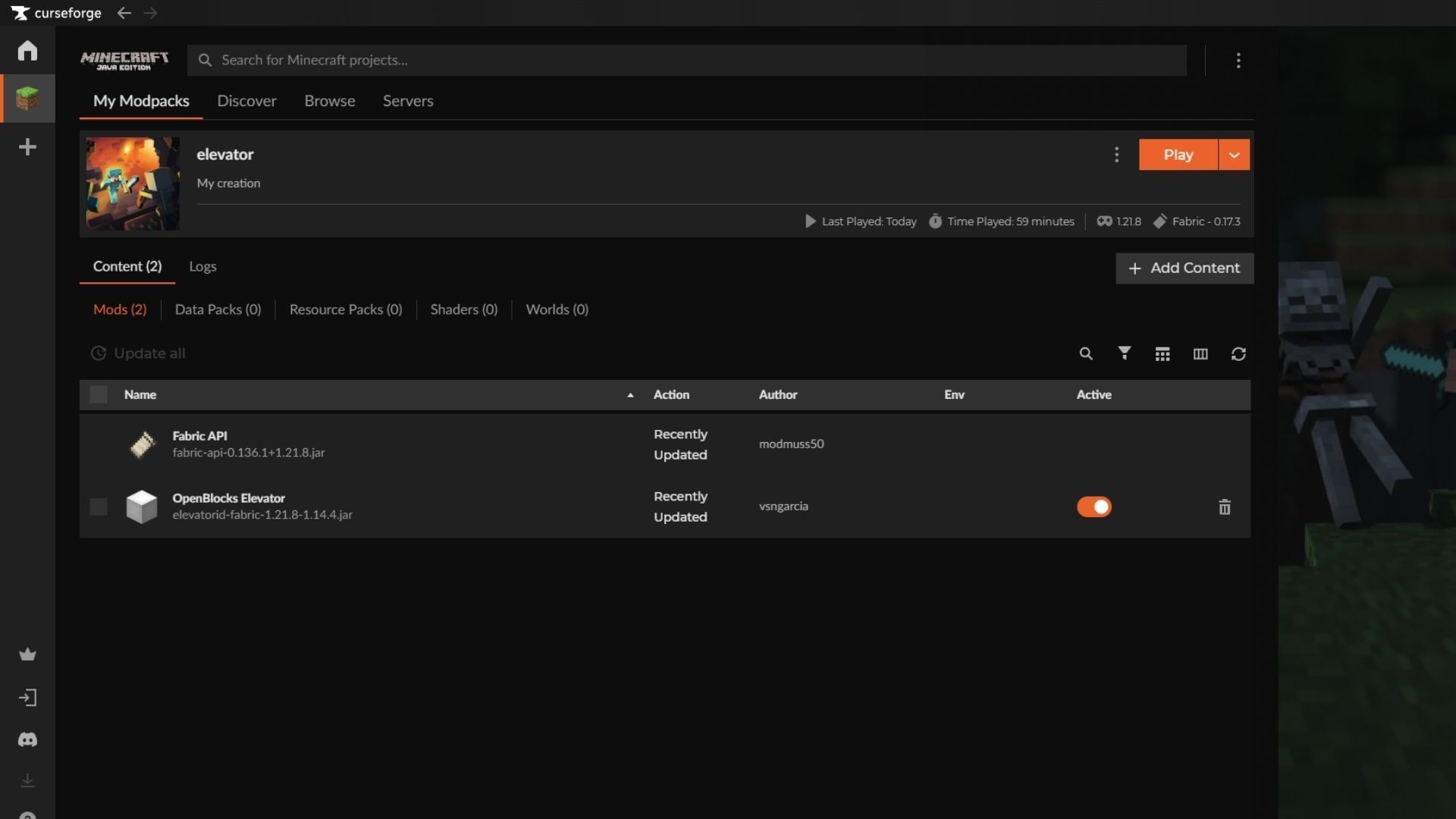
The Elevator mod for Minecraft can be installed using any mod loader that supports Fabric/Forge/NeoForge/Quilt. For this guide, we have used Curseforge and its mod loader with Fabric running on game version 1.21.8.
Here’s how you can download and install the Elevators Minecraft mod:
- Visit the Curseforge website and download the official launcher if you do not have it installed already. Once done, simply log in and register with your linked Microsoft account.
- Navigate to the top bar and search for the Elevator mod for Minecraft by vsngarcia. Alternatively, you can click on this link to head to the mod page directly.
- To install the Elevator mod phonk edit mod manually, click on the black Download button on the right side of the screen. Once the ZIP file has been downloaded, drag and place it in the mods folder of your desired instance’s directory.
- If you do not have Minecraft with Fabric installed or are new to installing mods and APIs, it is recommended to use the Curseforge launcher to make the installation process seamless.
- For installation using the Curseforge mod loader, click on the orange Install button with the anvil logo on the right side of the Download button. Now, wait for the deep link to open on the installed app. Once the app loads, you will be prompted to create a new instance (installation) or choose an existing instance of Minecraft to install the Elevator mod. It is recommended to install the mod on a fresh instance since it prevents any conflicts with other mods, shaders, or data packs and avoids unexpected corruption during runtime.
- Now, name your instance and click on the Create button. Once done, you will be redirected to the installed mod’s page. Wait while the required files and assets are downloaded and installed.
- Next, click the orange Play button on the right side to launch Minecraft with the Elevator mod successfully installed.
Also read: Hytale releases new gameplay trailer one day after it was bought back by the founder
Features of the Minecraft Elevator mod

The Minecraft Elevator mod is a nifty mod that adds the ability to use elevators in the game. It adds elevator blocks that can be connected, allowing players to travel in all directions with ease. Simply place two elevator blocks and set the direction to create a seamless teleport network. Once done, the arrow will denote the direction of travel, making it easier to use
Interacting with the elevator block in the Minecraft Elevator mod opens up a configuration panel that lets players change the direction of travel or hide the arrow for seamless integration without standing out. This allows the block to be placed in plain sight and be used without drawing attention to it, making it perfect for minimalistic builds.
Additionally, the camouflage option lets players use any solid block to camouflage the elevator. This lets the block blend into existing builds and structures without sticking out like a sore thumb. As for configuration, those who wish to modify the values of the elevator block can do so from the following directory:
/serverconfig/elevatorid-server.toml>
As for the default settings, here is the reference list:
Also read: Snapshot adds new splash text to honor YouTuber who walked to the Far Lands
Check out our other Minecraft articles:
Edited by Sayendra Basu
Source link

Leave A Comment